How do I track and save a tour?
Recording a tour in the KOMPASS App:
- Ensure you have a stable GPS connection
- Make sure the power-saving mode on your device is disabled. An active power-saving mode can degrade the quality of the GPS connection
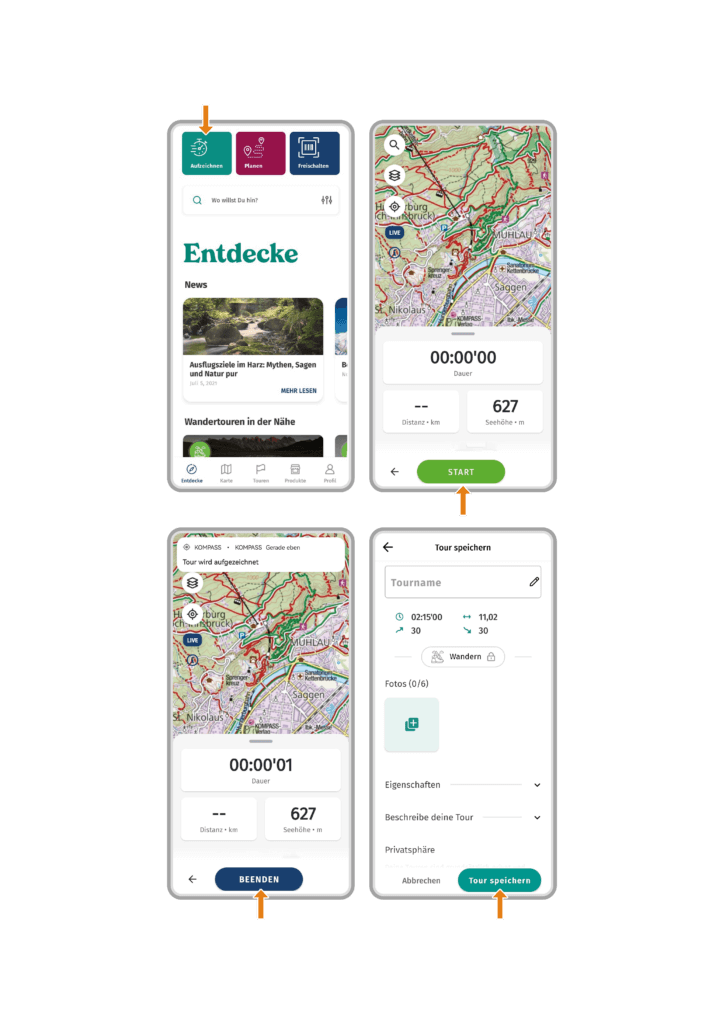
- Open the KOMPASS App
- Tap on “Start a track”
- In the recording menu, tap on “Start”. Your location and movement will be recorded.
- When your tour is finished, tap on “Finish”.
- Give the tour a name and add photos, a description, or features.
- Tap on “Save Tour” to save the tour.
Note: An active internet connection is required to save the tour. If you are in an area without an internet connection, wait to save until an internet connection/Wi-Fi is available.
Opening a recorded tour:
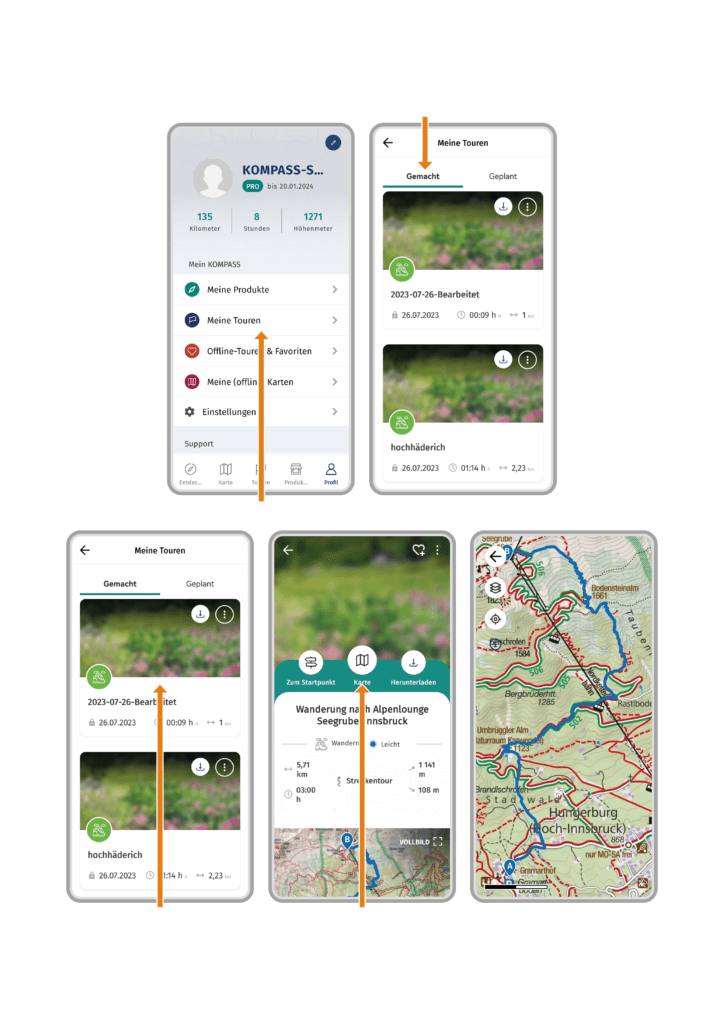
- Open the KOMPASS App.
- Tap on “Profile” in the menu bar.
- Tap on “My Tours”.
- Under “Tracked”, you will find your recorded tours.
- Under “Planned”, you will find your planned tours.
- Tap on the tour you want to open.
- Tap on “Map”. The tour will open in the map.
 2
2
 0
0