How can I become PRO?
You can purchase the KOMPASS Pro membership directly in the app or on our website.
In the KOMPASS App:
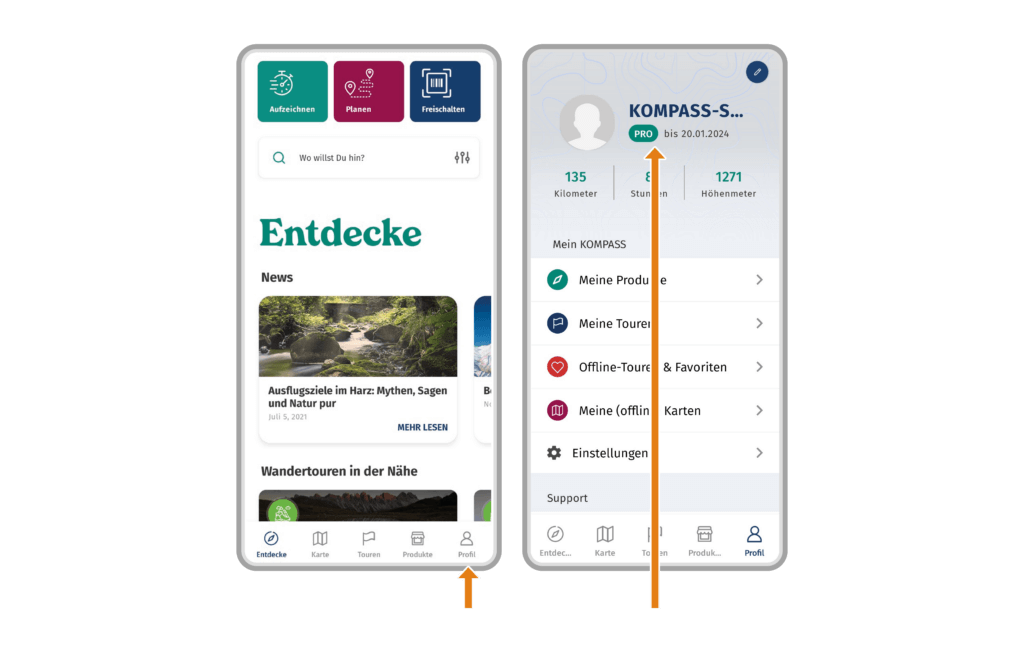
- Open the KOMPASS App
- Tap on “Profile” in the menu bar
- Below your username, you will see your PRO status
- Tap your status to access the purchase menu
On the KOMPASS website:
- Log in to the KOMPASS website with your KOMPASS account
- Visit our KOMPASS PRO page
- Click on the package you want to buy and proceed to the purchase menu
 0
0
 0
0