How do I open my unlocked maps?
In the KOMPASS App:
An overview of your unlocked and downloaded maps is saved in your profile.
- Open the KOMPASS App
- Tap on “Profile”
- Tap on “My (offline) Maps”
- Your maps will be displayed as a list. Tap on a map to open it
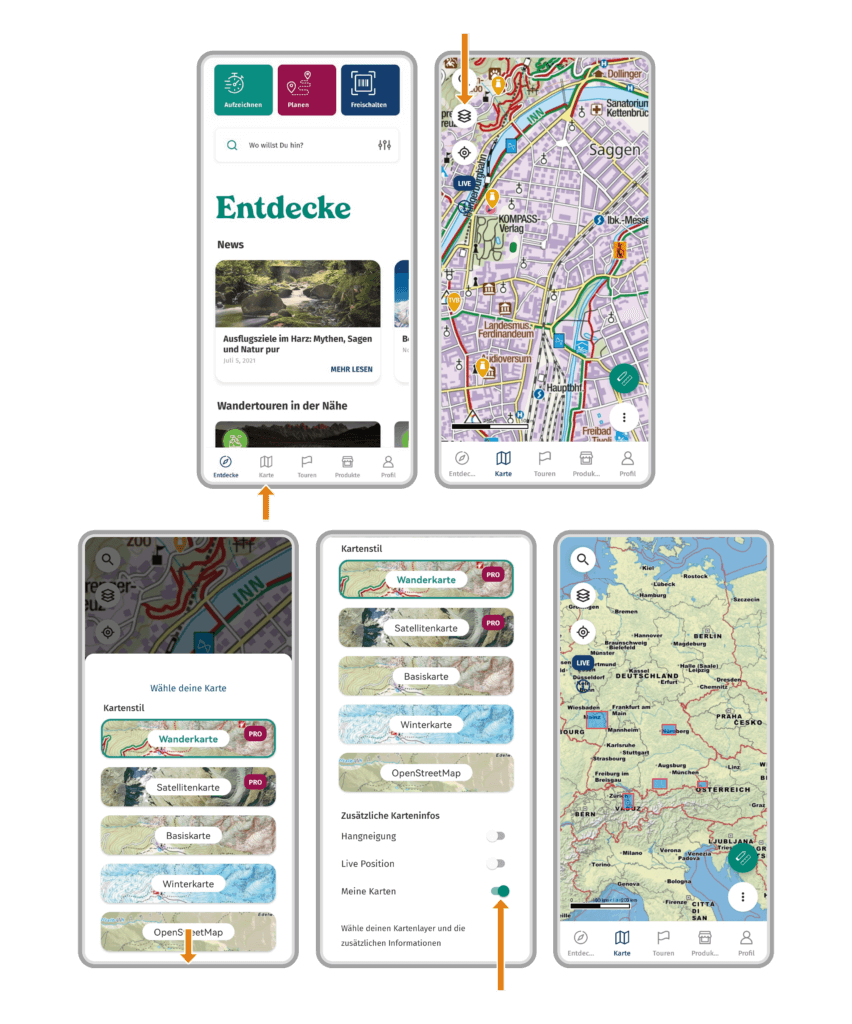
Additionally, you may also display your downloaded maps directly in the general map.
- Open the KOMPASS App
- Tap on “Map”
- Tap on the layers button
- Scroll down and enable the “My Maps” option
- Your maps will be displayed as a red rectangle directly at their location
On the KOMPASS website:
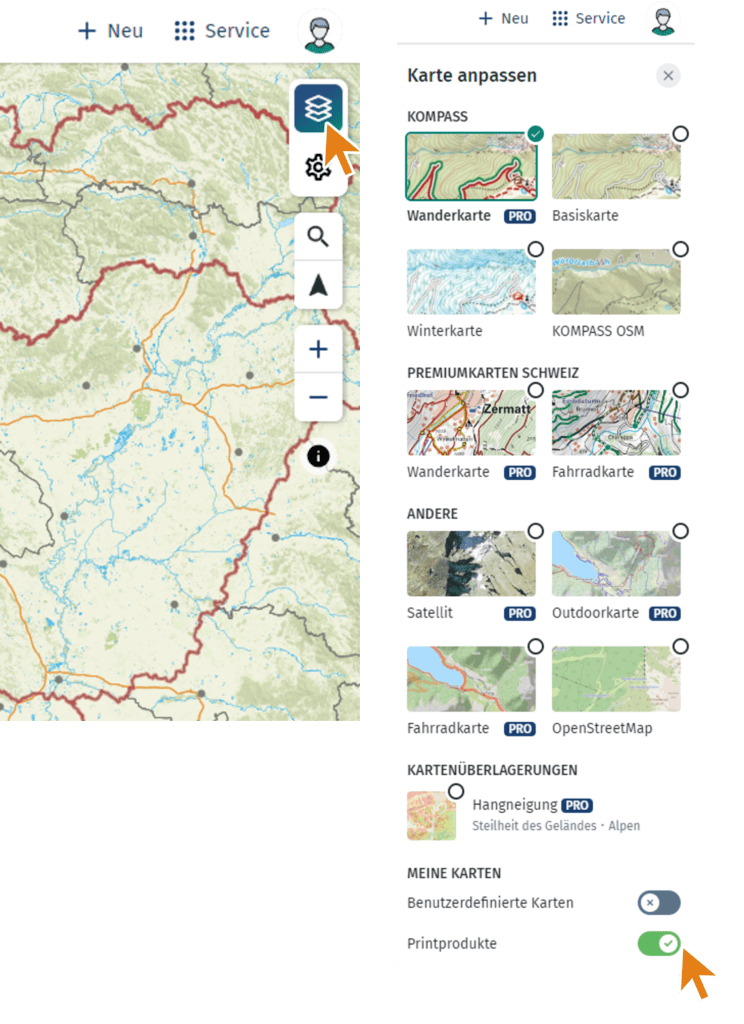
On the website, unlocked maps can be displayed directly in the main map.
- Log in to the KOMPASS website with your KOMPASS account
- Click on “Karte”
- Click on the layers button in the upper right corner of the map
- Scroll down and enable the “Printprodukte” option
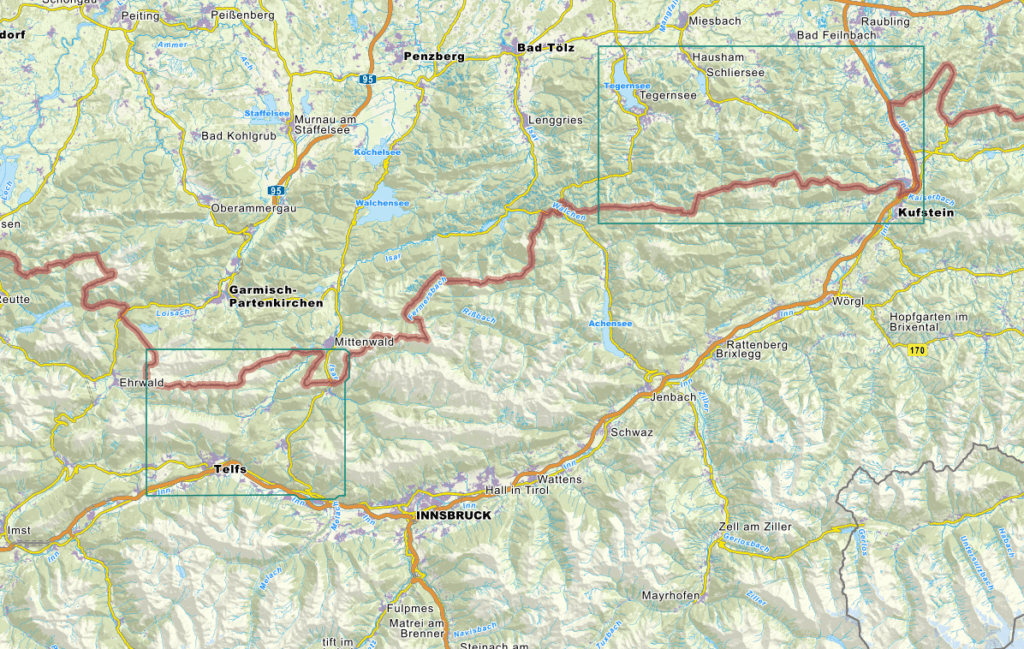
- Your maps will be displayed as a green rectangle directly at their location
 1
1
 0
0