How do I edit a completed tour?
- Log in to the KOMPASS website with your KOMPASS account
- Click on your profile
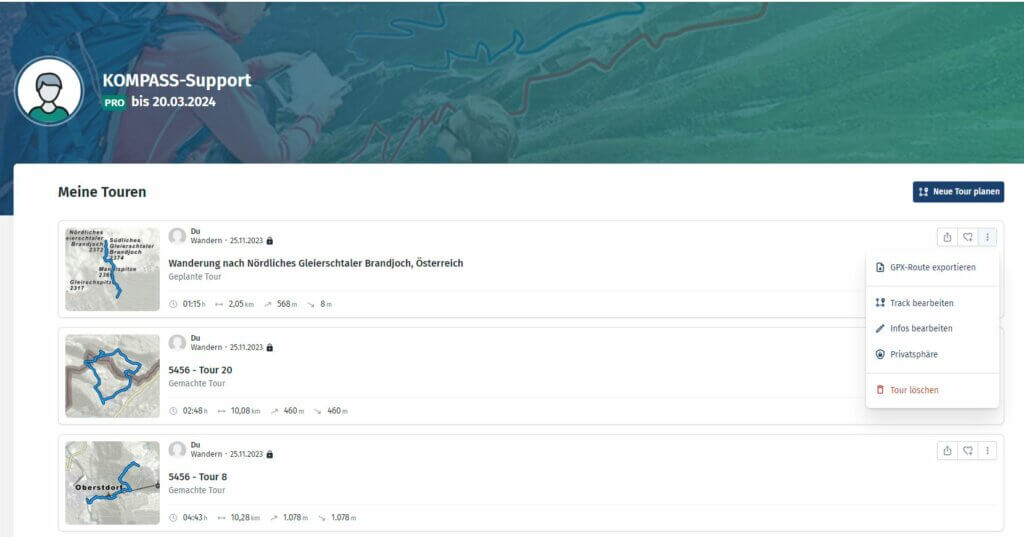
- Click on “Meine Touren”
- Click on the three dots next to the tour you want to edit
- You can choose whether to “Track bearbeiten” or “Infos bearbeiten”
- In “Infos bearbeiten”, you can change the name, type of tour, and add pictures
- In “Track bearbeiten”, you can modify the tour path by clicking and dragging, adding new way- or planning points or even recalculate the elevation data of the tour
 1
1
 0
0