How can I unlock my product with a digital extension?
How to unlock a KOMPASS product with a digital extension
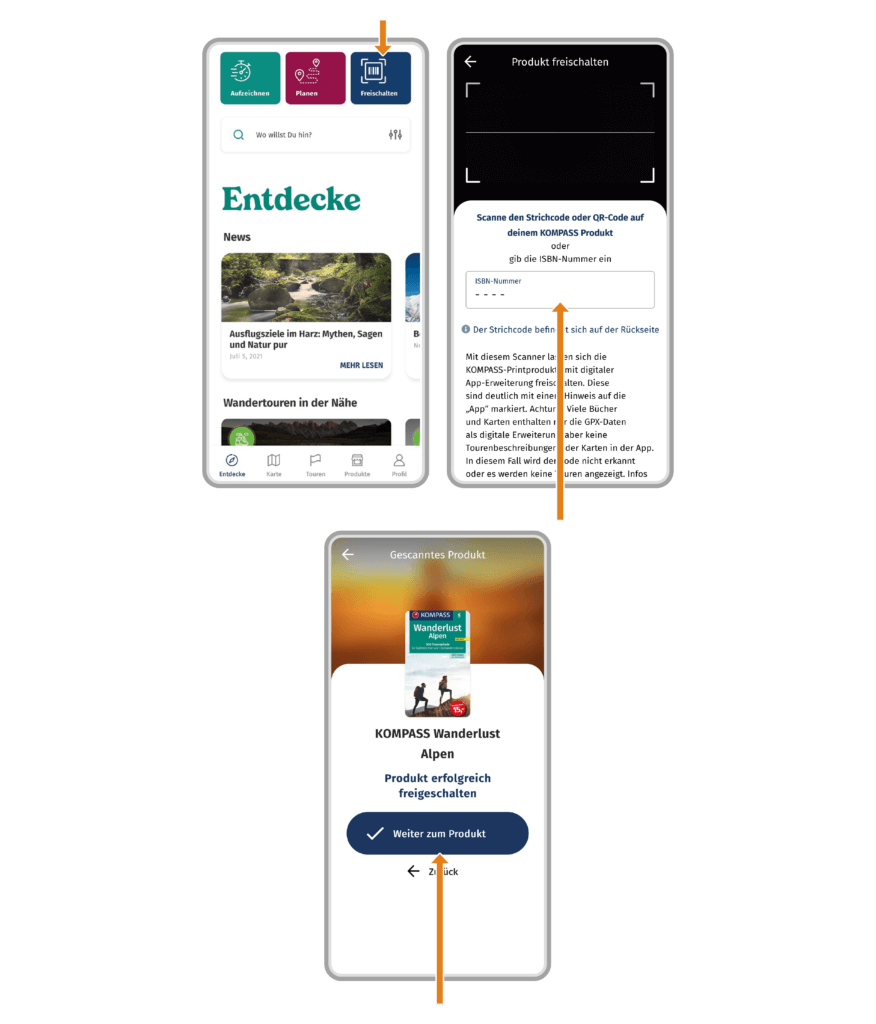
If you have purchased a KOMPASS product and see the note “App” or “mit App” (with app) on the cover, you can unlock it in the app to access the included tours.
- Open the KOMPASS App
- Tap on „Unlock product“
- Scan the barcode on your product or enter the printed code
- Your product will be unlocked
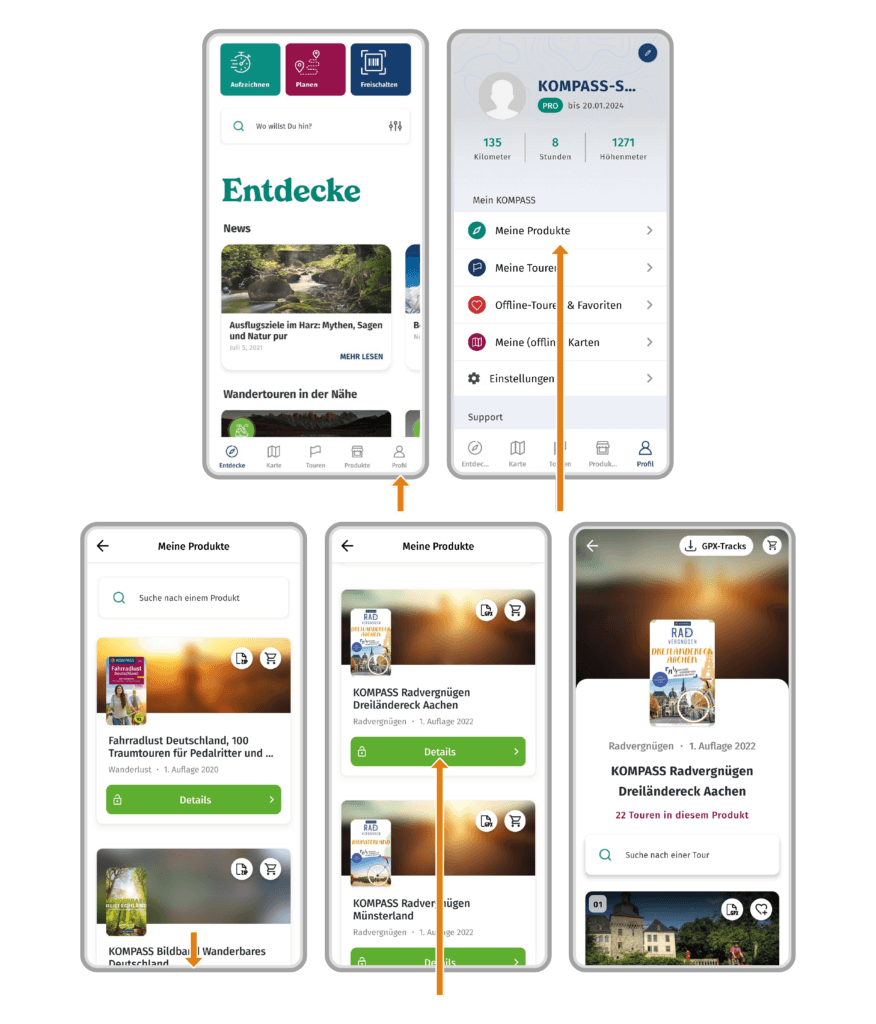
How to open an unlocked product in the KOMPASS app:
- Open the KOMPASS App
- Go to your profile
- Tap on „My Products“
- Your unlocked KOMPASS products will be listed; select the desired product to open it.
 1
1
 0
0